

Global Broker Regulation Inquiry App
WikiFX
English
简体中文
繁體中文
English
Pусский
日本語
ภาษาไทย
Tiếng Việt
Bahasa Indonesia
Español
हिन्दी
Filippiiniläinen
Français
Deutsch
Português
Türkçe
한국어
العربية
HFM Login & Register — Create myHF, Open MT4/MT5 & Start Trading
Abstract:HFM login & register guide: create myHF, complete KYC, fund wallet, open MT4/MT5 accounts, and access the HFM App/WebTerminal. Links and steps included.
How New Traders Start with HFM (Account & Platform Access)?
You manage everything through myHF—HFMs client area. Create an account, verify KYC, fund the myHF Wallet, then open the trading account type you want (MT4/MT5) and connect via desktop, web or the HFM App.
Step-by-Step: Register & Log in
Step 1 — Register your myHF profile: Go to the HFM registration page and complete basic details.
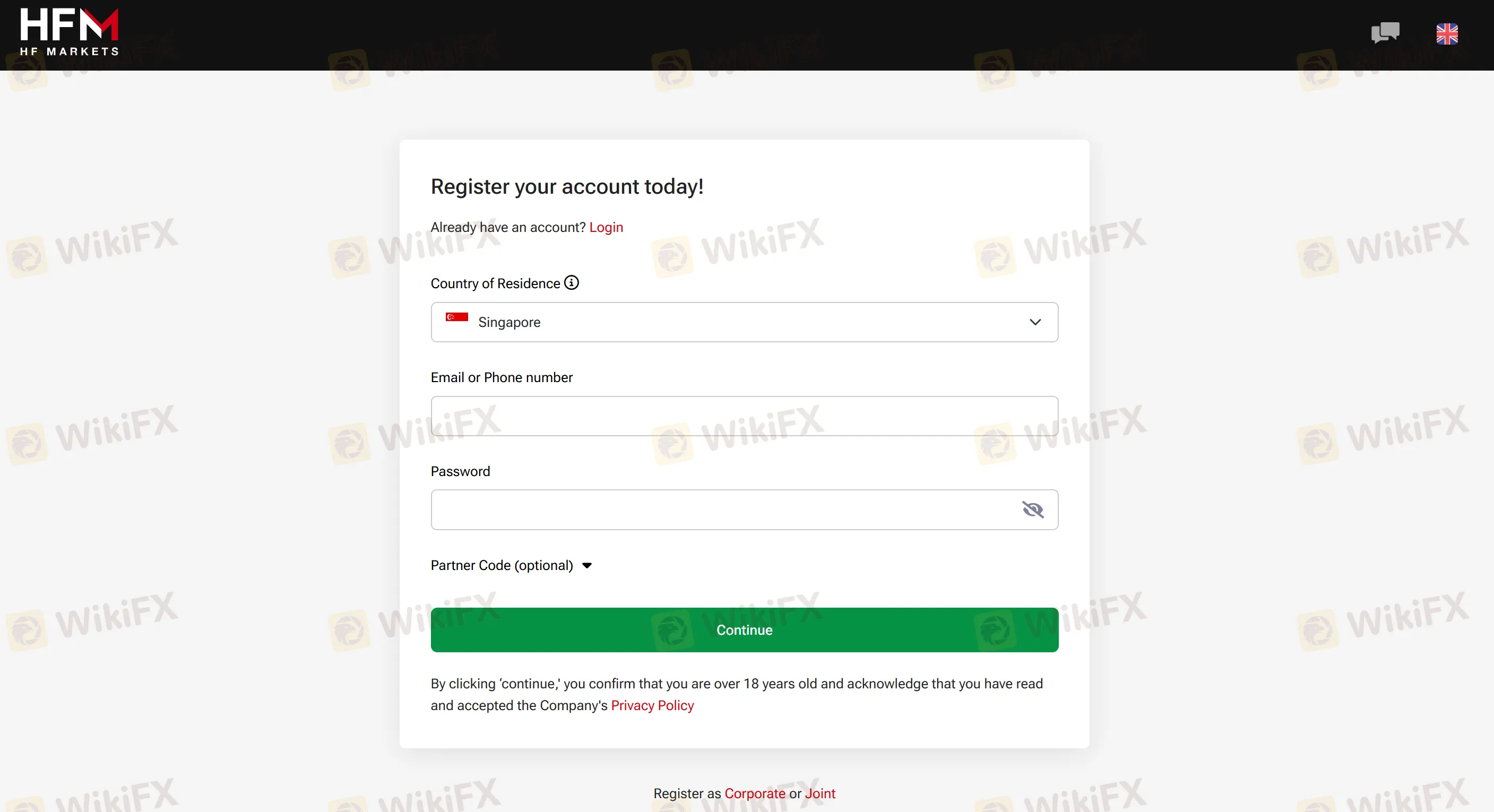
Step 2 — Verify identity & address (KYC): Upload ID and proof of address in myHF. (myHF is the single login hub.)
Step 3 — Open a trading account: In myHF, choose Cent/Zero/Pro/Premium (ensure MT4 vs MT5 matches your platform).
Step 4 — Fund your wallet: Use bank wire, card, or alternative methods (no HFM deposit fee).
Step 5 — Log in to platforms:
• MT4/MT5 desktop with your trading account credentials.
• WebTerminal for browser trading.
• HFM App for mobile.
Step 6 — First withdrawal readiness: Ensure card/bank details align; requests before 10:00 server time process same business day.
FAQs about HFM Login & Registration
- Whats the difference between myHF and an MT4/MT5 trading account?myHF is your account hub and wallet; an MT4/MT5 account is the platform login used for trading.
- Can I open MT5 if I created an MT4 account?
You need a separate MT5 account to trade on MT5.
- Where do I open a Demo?
Register or log in to myHF, then create a demo from the client area.
- I cant log in—what should I check first?
Confirm youre using myHF credentials for the portal and trading credentials for MT4/MT5; verify you selected the correct server.
- Is the login URL the same worldwide?
HFM operates regional myHF portals; use the login for your regulatory region (e.g., DFSA/EU portals).
Disclaimer:
The views in this article only represent the author's personal views, and do not constitute investment advice on this platform. This platform does not guarantee the accuracy, completeness and timeliness of the information in the article, and will not be liable for any loss caused by the use of or reliance on the information in the article.
WikiFX Broker
Latest News
65 Arrested in Cambodia’s Cyberscam Raid | Inside the ‘Pig-Butchering’ Fraud Factory
 WikiFX
ALL CASH BROKER Review 2026: Is this Forex Broker Legit or a Scam?
WikiFXMSquare Review 2026: Is this Broker Safe?
WikiFXAMP Global Review: A Closer Look at Regulatory Status and User Concerns
WikiFXAmari Capital: Unregulated Operations, Low WikiFX Score, and Recent Trader Complaints
WikiFXIs IMPERIAL Safe or Scam: A 2026 Expert Analysis
WikiFX150,000 Scam Accounts Linked to Fake Crypto and Romance Schemes Removed by Meta
WikiFXFINRA Fines Arcadia Securities $40,000 for Net Capital Violations
WikiFXJustMarkets Review: Deposit Issues, Withdrawal Denials & Slippage Complaints Explained
WikiFXBAAZEX Review 2026: Offshore License and Regulatory Red Flags
WikiFXCurrency Calculator
USD

CNY
Current Rate:0
Amount
USD
Available
CNY
Calculate 