

Global Broker Regulation Inquiry App
About WikiFX
English
简体中文
繁體中文
English
Pусский
日本語
ภาษาไทย
Tiếng Việt
Bahasa Indonesia
Español
हिन्दी
Filippiiniläinen
Français
Deutsch
Português
Türkçe
한국어
العربية
Finowiz Login Guide: Account Registration, Verification & Safe Login
Abstract:Learn how to complete the Finowiz login: create an account, verify identity, enable 2FA, and troubleshoot common login issues without risking account security.
How New Traders Can Start: Registration & First login (step-by-step)
We focus on minimizing risk during login and onboarding.
Step 1 — Create your profile
Go to the official site and locate Login / Register Now. Enter email and a strong password. Avoid reused passwords.
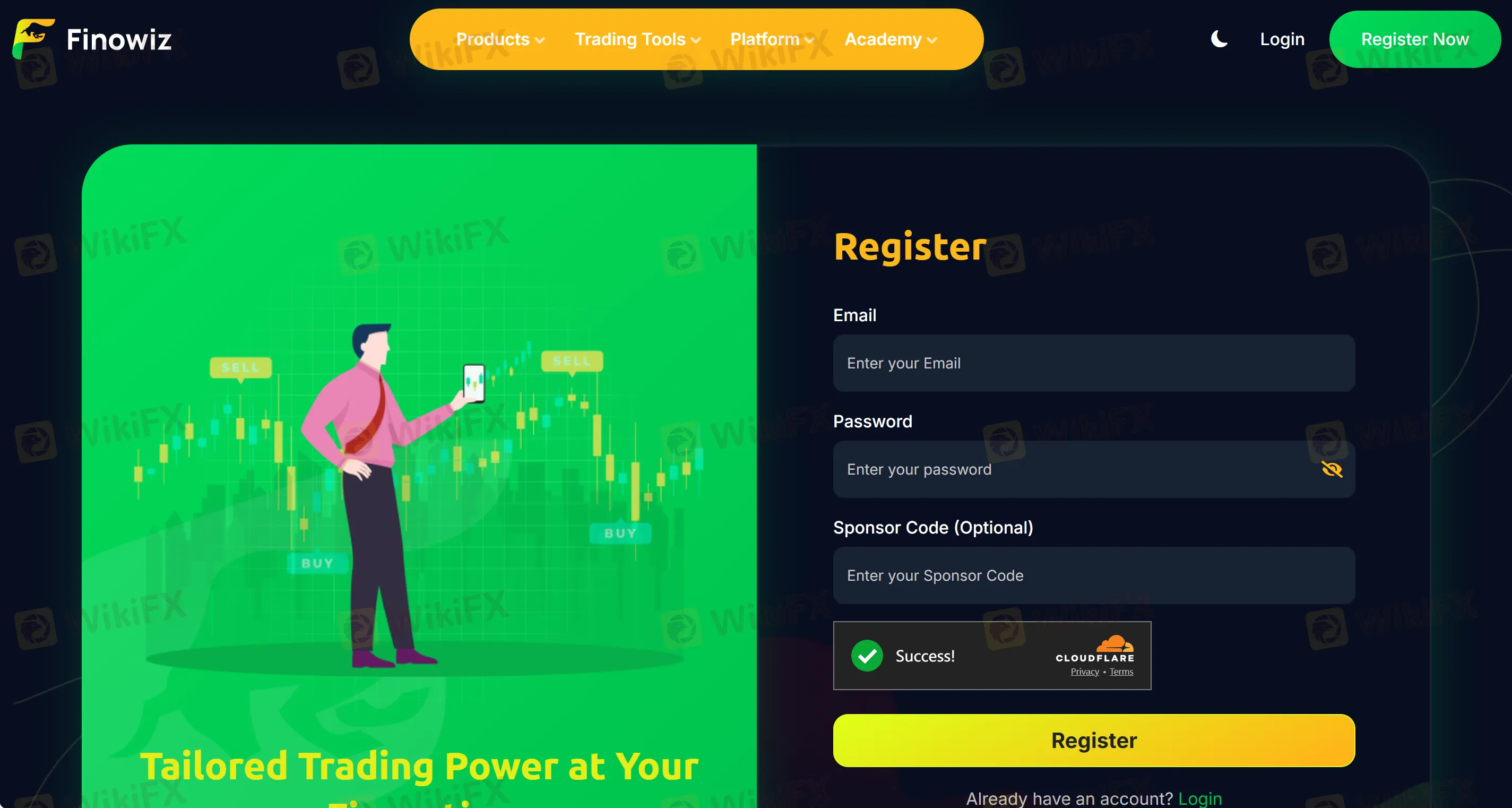
Step 2 — Email confirmation
Complete the email OTP/verification link, then attempt your first login.
Step 3 — KYC basics
Prepare a government ID + address proof. Upload only within the logged-in dashboard over HTTPS. If anything looks off, stop and re-check the URL.
Step 4 — Enable security before deposits
Inside the account after login, turn on 2FA (TOTP/SMS), set anti-phishing code, and add a withdrawal whitelist if available.
Step 5 — Platform access
Post-login, connect the trading platform (e.g., MT5) only using links from the account portal—not random download sites.
Account Types, Verification & Safer login Habits
- KYC level vs. limits: Many brokers tie deposit/withdrawal limits to KYC tiers. Do not deposit before your documents are approved in the login area.
- Geo rules: If a regulator in your country has flagged the brand, re-evaluate before proceeding beyond login.
- Device hygiene: Bookmark the login URL; use a password manager; never store credentials in browsers on shared PCs.
- Session checks: After each login, scan for unusual balances/positions. If anything deviates, export logs and open a ticket immediately.
FAQs about Finowiz Login
Q1. The login asks for extra verification—normal?
Yes. AML/KYC rules commonly trigger extra prompts. Complete these inside the logged-in dashboard only.
Q2. Should I enable 2FA for login?
Absolutely. 2FA blocks most account-takeover attempts. Do this before any deposits.
Q3. I can‘t receive the OTP and can’t login—what now?
Check spam, time sync, and authenticator codes. If locked out, contact support from the sites official contact page only.
Q4. Is it safe to proceed with login and funding while theres an FCA warning?
No. We advise pause. An FCA warning is a serious risk indicator. Keep your account at login-only (read-only) until you reconcile that risk.
Disclaimer:
The views in this article only represent the author's personal views, and do not constitute investment advice on this platform. This platform does not guarantee the accuracy, completeness and timeliness of the information in the article, and will not be liable for any loss caused by the use of or reliance on the information in the article.
WikiFX Broker
Latest News
Blueberry Markets Review: Examining the Latest User Complaints in 2026
 WikiFX
MSquare Review 2026: Is this Forex Broker Legit or a Scam?
WikiFXThe MSquare Review: Forged Blockchain Receipts, Frozen Accounts, and Severe Anomalies Exposed
WikiFXHow Trading Volume Tells You If a Price Move is Real
WikiFXWhy Judging Trades by Profit Teaches the Wrong Lesson
WikiFXEC Markets Reports Record $5.13 Trillion Q1 Volume in 2026
WikiFXWhen Scammers Forge a Minister's Signature: Malaysia's Fake Investment Letter Exposed
WikiFXMalaysia Takes Aim at Online Scams: New Laws and a Unified Task Force on the Horizon
WikiFXAI Powered, Nearly Invisible: How Crypto Scammers Are Evolving with NEW Tactics
WikiFXROCO Regulation: Is ROCO Broker Safe for Forex Trading?
WikiFXCurrency Calculator
USD

CNY
Current Rate:0
Enter amount
USD
Redeemable Amount
CNY
Calculate 