

Global Broker Regulation Inquiry App
About WikiFX
English
简体中文
繁體中文
English
Pусский
日本語
ภาษาไทย
Tiếng Việt
Bahasa Indonesia
Español
हिन्दी
Filippiiniläinen
Français
Deutsch
Português
Türkçe
한국어
العربية
AIMSFX Login and Registration Guide: Account Login & Registration Process
Abstract:AIMSFX Login and Registration Guide covers step‑by‑step login and registration procedures, document submission, account types, and FAQs to help new users start trading with ease.
How New Traders Can Register and Login to AIMSFX?
Step 1: Registration – creating your account
Go to the AIMSFX “REGISTER” page and complete the online registration form. Provide personal details and email. Registration takes about 3 minutes. Youll receive a welcome email upon success.
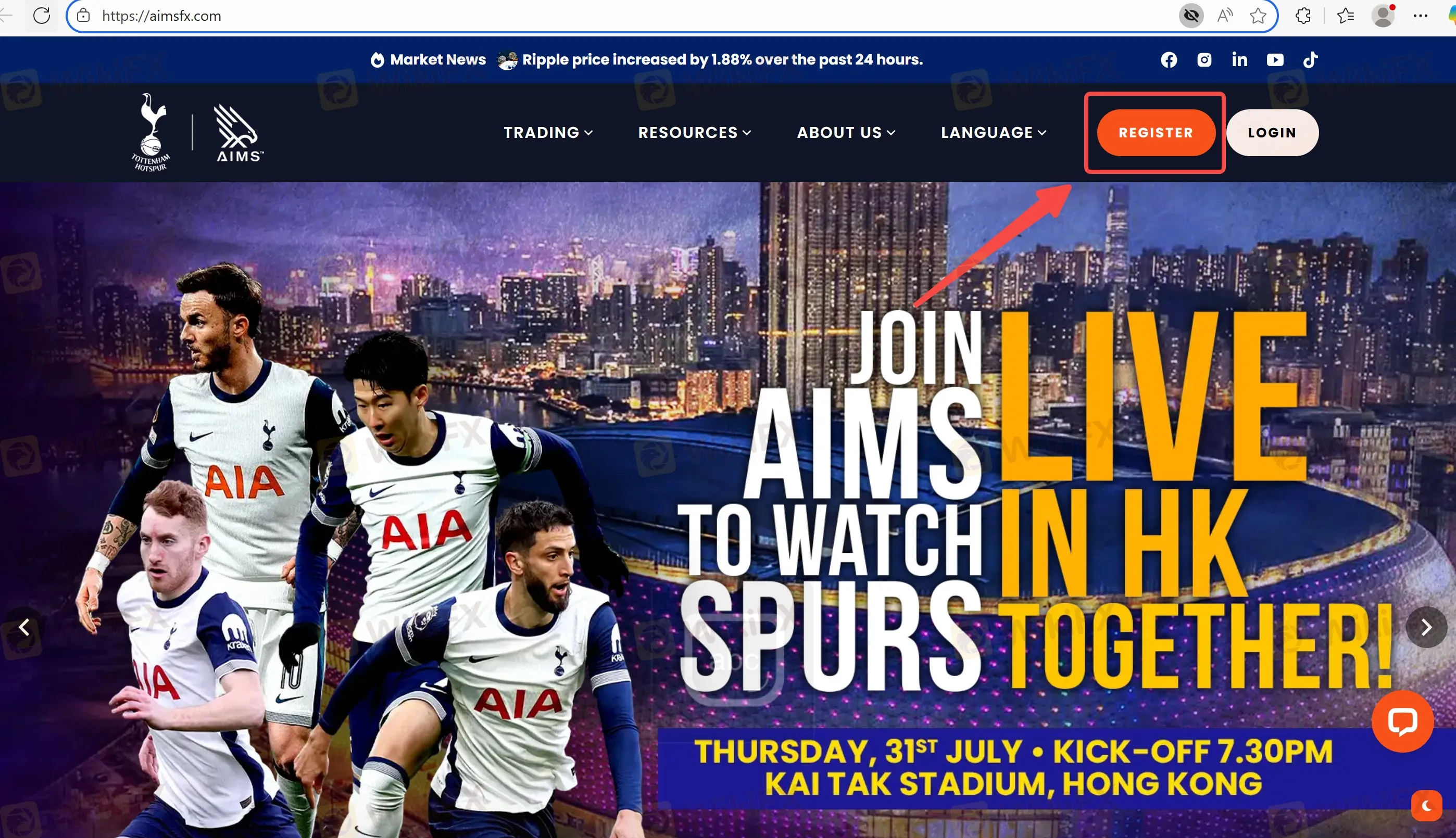
Step 2: Account login and initial deposit
After email confirmation, youre logged in automatically. Navigate to your dashboard to fund your account—methods include bank transfer, credit cards, AliPay, Skrill, WeChat Pay, Bitcoin, etc. Minimum deposit for Standard account is USD 50 (or USD 100 per FAQ).
Step 3: Upload verification documents
From the User Profile > Document section, upload proof of identity (government‑issued ID or passport) and proof of address (recent utility bill, bank statement or government document). This supports KYC requirements via ASIC/LFSA.
Step 4: Account approval and trading access
Once documents are approved, you gain full access to live trading. Demo account access is available immediately for risk-free practice.
Understanding AIMSFX Account Types
- Standard Account: Minimum deposit USD 50–100, spreads from ~1.5 pips on EUR/USD, no commissions, suitable for retail clients and offers swap‑free (Islamic) options.
- MAM Account: Targeted at high‑net‑worth or account managers. Requires minimum USD 10,000 deposit, same spreads, central management of multiple sub‑accounts.
- Demo Account: Virtual account for testing platforms and strategies without financial risk. Instant setup upon registration.
Frequently Asked Questions about AIMSFX Login
How do I reset my password if I forget it?
Use the “Forgot Password” link on the login page. Youll receive a reset email. Follow instructions to set a new password.
What should I do if I havent received the confirmation email?
Check spam/junk folder. If still missing after a few minutes, request resend via the registration page or contact support.
Can I use the same login for demo and live accounts?
Yes. AIMSFX uses unified credentials. You can toggle between demo and live within your dashboard.
Is mobile login available?
Yes. MT4/MT5 apps on iOS/Android support direct login with your credentials to access live and demo accounts.
Why am I asked for documents after depositing?
KYC requirements via ASIC/LFSA demand identity verification. Until documents upload and approval, withdrawals may be restricted.
Can I change my registered email or base currency later?
Changing email requires support assistance with identity verification. Base currency change requires account closure and opening a new account.
Disclaimer:
The views in this article only represent the author's personal views, and do not constitute investment advice on this platform. This platform does not guarantee the accuracy, completeness and timeliness of the information in the article, and will not be liable for any loss caused by the use of or reliance on the information in the article.
WikiFX Broker
Latest News
Why Paid Forex Signals Are a Trap for Beginners
 WikiFX
US Dollar Dips On Hormuz Proposal
WikiFXZed Capital Review 2026: Should You Trade With This Broker?
WikiFXIs Naga Regulated? Guide to Naga Regulation and Safety
WikiFXIndia’s Love Affair with Gold: Investment Demand Rises 40% of Consumption in CY25
WikiFXcoinbase Review 2026: Is this Forex Broker Legit or a Scam?
WikiFXIs Octa Regulated? Octa Regulation And Licensing Facts
WikiFXInteractive Brokers Review 2026: Regulation Fines, Clone Risks, and Safety Facts
WikiFXCancer Survivor Loses RM610,000 Insurance Payout to Fake 750% Investment Scam
WikiFXA New App, A Stranger Online, and RM257,000 Gone
WikiFXCurrency Calculator
USD

CNY
Current Rate:0
Enter amount
USD
Redeemable Amount
CNY
Calculate 